Quake
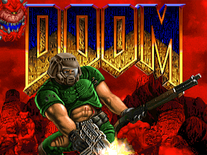
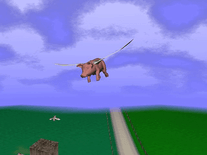
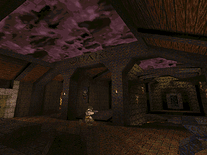
This unofficial Quake screensaver features 5 animated scenes from the popular first-person shooter video game published in 1996 by ID Software. You can configure the scene it starts with, as well as the number of minutes between scene changes (the default is 10 minutes), via the screensaver's settings panel, where you can also toggle the sound effects.

 Free
Free  4.25 MB
  for Windows
  475
475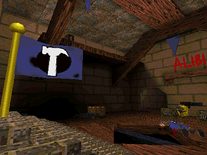
Message board
Do you have a question about this screensaver? Post it on our message board »
Installation instructions
Microsoft Windows
- Extract the folder from the "Quake Screensaver.zip" file you downloaded to any location on your hard drive, e.g. your desktop.
- Open the "Quake Screensaver Installation Files" folder and double-click the "Setup" file.
- Follow the instructions on the screen to complete the installation process.
- When installation is completed, open the Screen Saver Settings panel to select, configure and/or preview the Quake screensaver.
Anti-virus report for Quake
Our editors have reviewed all files and found them to be safe, but they are also checked automatically using many different virus scanners. We are happy to share the results.
| Virus scanner | Quake Screensaver.zip |
|---|---|
| Avira | |
| ClamAV | |
| ESET-NOD32 | |
| F-Secure | |
| Malwarebytes | |
| Microsoft | |
| Symantec | |
| Webroot | |
| Last scanned | 3 weeks ago |
We have 1 file for "Quake"
- Quake Screensaver.zip (Windows)
| File report #1 | |
|---|---|
| File name | Quake Screensaver.zip |
| Target system | Microsoft Windows |
| File size | 4.25 MB (4,456,001 bytes) |
| File type | ZIP archive |
| Anti-virus | |
| Detection ratio | 0/8 (0%) View report |
| Popularity | |
| Total downloads | 475 |
| Last downloaded | 5 days ago |
| File verification | |
| MD5 | a41c0c1d79b489de484adae85d6d9ca2 |
| SHA1 | 24e8b3549a004093f246effdc95b99cc0f403810 |
| SHA256 | 97d5cfa115b7f7b4aa41db04b61303f47d5e4a0b745e041c0a4b20d4609734be |
User reviews (1)
The good news is that it's working! On win10x64. Even without Q1 installed.
The good news are over for that. Examining the resources I understood that it's just a rather wise simulator of actual game! The camera is static, things are moving, fire is burning... but everything is an animations, stored in .BMP files o_O
The resolution is kinda 480p as I've calculated, yet the initial "backgrounds" are presented in 512 x 384 px resolution. It's just a resolution of the resources, so the screen's resolution do not change. So it's lovely pixelated for a FullHD screen.
It's definitely usable, if someone is a true fan