


Screensaver Picture
Hello
I'd like to know how to change the picture for my screensaver.
Linked pages
 Rayne
Rayne 6 months ago
1 reply
Did you successfully install the screensaver? If so, you should be able to select it in the Screen Saver Settings panel, then click "Settings" to access its settings menu. There you can select any image on your computer to use instead of the DVD logo.
You can also right-click the zzDVD2.scr screensaver file and select "Configure".
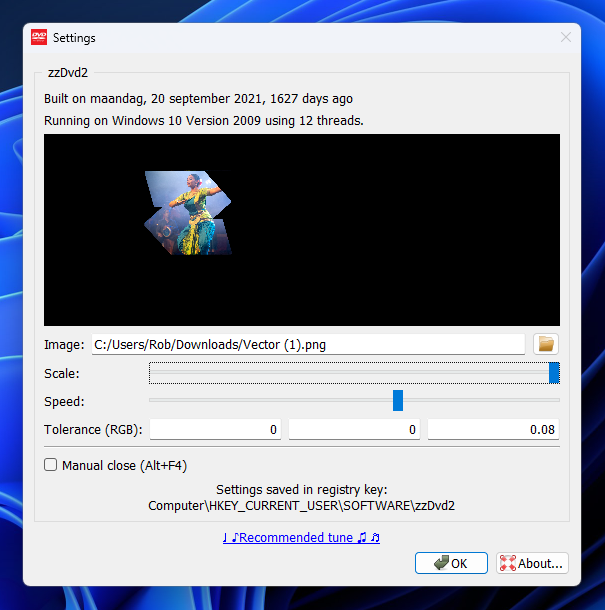
Let me know if you need any further assistance.
Rob (Screensavers Planet)6 months ago
Post a reply
 This post was automatically locked to new replies after 30 days of inactivity.
Please start a new post on the message board if you need our help.

