Feline
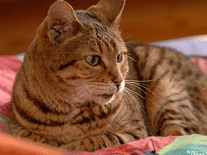
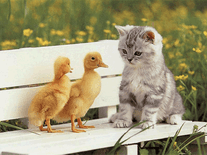
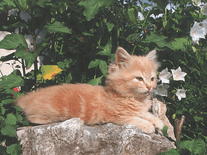
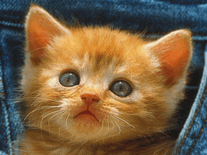
Fourteen photos of cats of various sorts, ages and colors appear in this slideshow screensaver for Windows. The advance time for the images can be adjusted, as well as their size, position and order, the background color, and the transition effects used inbetween alternating images, of which ten are available.

 Free
Free  1.25 MB
  for Windows
  1,912
1,912
Message board
Is your question not listed? Post it on our message board »
| Subject | Replies | Last post |
| feline not there | 4 | 5 years ago |
Installation instructions
Microsoft Windows
- Double-click on the file downloaded above to start the Feline Screensaver Install Program.
- Click "Next >" to proceed. The screensaver's files will be placed in the given directory, which is usually C:\Program Files\Screensavers\Feline. This should be fine for most users, so simply click "Next >" again to continue, and then click "Yes" if you are asked to have the destination directory created.
- Now click "Start" to install the Feline screensaver onto your computer. After a few seconds, the process will have completed, and you can click "Next >", followed by "Exit", to quit the install program.
- Windows's Screen Saver Settings panel will now automatically open. This screensaver is titled "Feline".
- If "Feline" does not appear in the list of screensaver, you may need to repeat the installation process with elevated access rights. Instead of double-clicking on the file you downloaded, use your right mouse button to click on it, then select "Run as administrator".
Anti-virus report for Feline
Our editors have reviewed all files and found them to be safe, but they are also checked automatically using many different virus scanners. We are happy to share the results.
| Virus scanner | feline.exe |
|---|---|
| Avira | |
| ClamAV | |
| ESET-NOD32 | |
| F-Secure | |
| Malwarebytes | |
| Microsoft | |
| Panda | |
| Symantec | |
| TrendMicro | |
| Webroot | |
| Last scanned | 1 week ago |
We have 1 file for "Feline"
- feline.exe (Windows)
| File report #1 | |
|---|---|
| File name | feline.exe |
| Target system | Microsoft Windows |
| File size | 1.25 MB (1,306,373 bytes) |
| File type | Portable Executable (EXE) |
| Anti-virus | |
| Detection ratio | 0/10 (0%) View report |
| Popularity | |
| Total downloads | 1,912 |
| Last downloaded | 4 days ago |
| File verification | |
| MD5 | 7bd40c0240fb9ea4aaea76024b1859bc |
| SHA1 | 18d67ef8be48765ddd19f4a34f672c04f80984c2 |
| SHA256 | 540acd00092f7caeaffda5ff33605c21182f9d0aa6645b208597c19718c76b9d |
User reviews (4)
Looks great!

by Chris on October 6, 2022
fine now how do i get it on my screen?!!

by debbie on February 3, 2021
How can you not like pictures of cute cats, or puppies or adorable babies?
by Beverley-Anne Coote-Field Kell on May 29, 2017
:D ADORABLE
by john on September 22, 2016