Earthlike
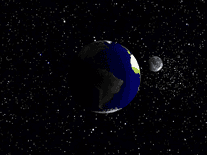
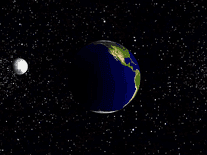
The Earthlike screensaver consists of an animated, three-dimensional representation of the moon orbiting, and always keeping one face toward, a rotating Earth, at a distance of distance of 384,403 kilometers (or 238,857 miles). Shadows and a backdrop of colorful stars add to the realism of this screensaver.

 Free
Free  7.02 MB
  for Windows
  1,026
1,026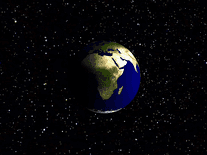
Message board
Do you have a question about this screensaver? Post it on our message board »
Installation instructions
Microsoft Windows
- Double-click on the file downloaded to bring up a prompt stating "This will install Earthlike Screensaver. Do you wish to continue?", then click "Yes" to proceed.
- Click "Next", followed by "Install" to have the screensaver installed onto your computer.
- Once you click "Finish", the Screen Saver Settings panel will automatically be opened.
- If "Earthlike" does not appear in the list of screensavers, and you are using Windows Vista, 7 or newer, we recommend repeating the above process with elevated access rights by right-clicking on the earthlike.exe file and selecting "Run as administrator".
Anti-virus report for Earthlike
Our editors have reviewed all files and found them to be safe, but they are also checked automatically using many different virus scanners. We are happy to share the results.
| Virus scanner | earthlike.exe |
|---|---|
| Avira | |
| BitDefender | |
| ClamAV | |
| ESET-NOD32 | |
| F-Secure | |
| Kaspersky | |
| Malwarebytes | |
| Microsoft | |
| Panda | |
| TrendMicro | |
| Webroot | |
| Last scanned | 1 week ago |
We have 1 file for "Earthlike"
- earthlike.exe (Windows)
| File report #1 | |
|---|---|
| File name | earthlike.exe |
| Target system | Microsoft Windows |
| File size | 7.02 MB (7,358,997 bytes) |
| File type | Portable Executable (EXE) |
| Anti-virus | |
| Detection ratio | 0/11 (0%) View report |
| Popularity | |
| Total downloads | 1,026 |
| Last downloaded | 3 days ago |
| File verification | |
| MD5 | 02d86964d1b1b6c9576d72cb4341393b |
| SHA1 | 66bcc8faeac5b0d50809cde23caa878576bb9f0b |
| SHA256 | 1963fc58e197afe0f8c342bfa510e011108345e565cd5de522398a73a23d2a9e |
User reviews (2)
Very nice. Would be better if it could go fullscreen.

by Bergz on December 11, 2017
Resolution is very low so screen saver is in a windowed box.

by T.S. on October 17, 2014