Dark Solar System
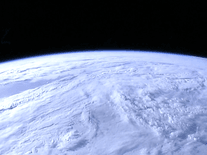
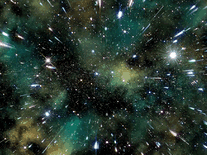
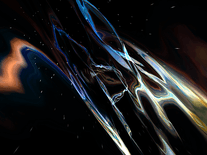
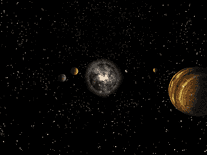
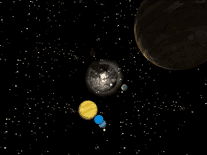
Watch the planets Earth, Mercury, Venus and Jupiter as they orbit around the Sun against a background of stars. Some parameters belonging to the solar system displayed are customizable, including the range to the sun, as well as the picture quality, animation speed, scale, camera rotation speed, and even the addition of a digital clock.

 Free
Free  0.53 MB
  for Windows
  17,374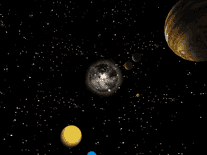
Message board
Do you have a question about this screensaver? Post it on our message board »
Installation instructions
Microsoft Windows
- To launch the Dark Solar System installation program, double-click on the file downloaded above.
- Click "Next" to begin copying the screensaver files to your computer, then click "Finish".
- The screensaver will now be started automatically, but it may not be set as your default screensaver. Open Windows's Screen Saver Settings panel to find "Dark_Solar_System" among your other screensavers.
Anti-virus report for Dark Solar System
Our editors have reviewed all files and found them to be safe, but they are also checked automatically using many different virus scanners. We are happy to share the results.
| Virus scanner | darksolarsystem.exe |
|---|---|
| Avira | |
| BitDefender | |
| ESET-NOD32 | |
| F-Secure | |
| Kaspersky | |
| Malwarebytes | |
| Microsoft | |
| Panda | |
| Symantec | |
| Webroot | |
| Last scanned | 2 weeks ago |
We have 1 file for "Dark Solar System"
- darksolarsystem.exe (Windows)
| File report #1 | |
|---|---|
| File name | darksolarsystem.exe |
| Target system | Microsoft Windows |
| File size | 539.19 kB (552,128 bytes) |
| File type | Portable Executable (EXE) |
| Anti-virus | |
| Detection ratio | 0/10 (0%) View report |
| Popularity | |
| Total downloads | 17,374 |
| Last downloaded | 12 hours ago |
| File verification | |
| MD5 | 0c6d28ce27b4a3e6eb027a5f0daa9e2d |
| SHA1 | ca563b39ea1ed45b3bd519192a95e8851a1784f0 |
| SHA256 | 9ce00702d260c6e9d5b0b1115fc2ee3e1987721a203a4460e84794799dc89fe8 |
User reviews (7)
Screensavers that are free are usually not worth my time and usually have problems, but this one is really very good, if not great. Good Work!

The screensaver isn't good for my system because it causes coil-screeching from the GPU in my system (I think it is the GPU). From what I have seen it isnt ugly or bad-looking though.

it looks quite good just hope it looks as well wen on screen
Some People still complain when they get something for Free.... Pfffff.
5 stars. I like this one too. Thanks. The soundtrack sounds just fine to me.
It is beautiful
Awful. If I wanted a crappy staticy soundtrack with my screensaver, I would have searched for that. Ridiculous.
Screensavers Planet: Please note that sounds can be disabled for this screensaver. In the Screen Saver Settings panel, make sure the "Dark_Solar_System" screensaver is selected, then click "Settings". Change the setting from "Default" to "Set parameters" and then uncheck the box in front of "Sound". Click "OK" to save these settings. All sound effects, including the static you mention, should now be muted.