Actual Moon
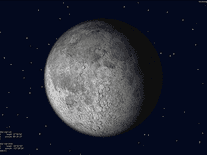
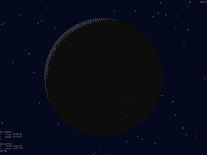
This freeware screensaver from LAVResearch displays the current phase of the moon on your screen, as seen from any geographical location on earth that you specify. You can choose from over a hundred pre-configured cities, from Amsterdam to New York, or add a custom place if you know the exact latitude and longitude. The current time, your coordinates, and the position, zodiac sign and time of rising and setting of the sun and the moon are included in text format, while the purple background lights up with stars.

 Free
Free  0.61 MB
  for Windows
  5,050
5,050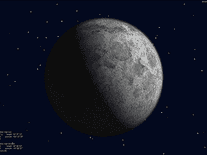
Message board
Do you have a question about this screensaver? Post it on our message board »
Installation instructions
Microsoft Windows
- Double-click on the actualmoon.exe file to bring up the Actual Moon 3D setup program.
- The default setting for the installation folder should be fine for most users, but you are free to select a custom path using the "Browse" button. Click "Next" to begin the installation.
- If the "Can't write file ActualMoon.scr" error appears, you may have to restart the setup program with elevated access rights. You can do this by right-clicking on the actualmoon.exe file you downloaded above, and selecting "Run as administrator". Then repeat the above steps.
- When the installation is complete, click "OK" to exit the setup program. It will automatically have opened Windows's Screen Saver Settings panel, where you will find that "ActualMoon" is your default screensaver.
Anti-virus report for Actual Moon
Our editors have reviewed all files and found them to be safe, but they are also checked automatically using many different virus scanners. We are happy to share the results.
| Virus scanner | actualmoon.exe |
|---|---|
| AVG | |
| Avast | |
| Avira | |
| BitDefender | |
| ClamAV | |
| ESET-NOD32 | |
| F-Secure | |
| Kaspersky | |
| Malwarebytes | |
| Microsoft | |
| Panda | |
| Symantec | |
| TrendMicro | |
| Webroot | |
| Last scanned | 2 days ago |
We have 1 file for "Actual Moon"
- actualmoon.exe (Windows)
| File report #1 | |
|---|---|
| File name | actualmoon.exe |
| Target system | Microsoft Windows |
| File size | 624.00 kB (638,976 bytes) |
| File type | Portable Executable (EXE) |
| Anti-virus | |
| Detection ratio | 0/14 (0%) View report |
| Popularity | |
| Total downloads | 5,050 |
| Last downloaded | 4 days ago |
| File verification | |
| MD5 | e463b01d086cdf3c13da3784bcf44035 |
| SHA1 | a3ef4f87ad711aa7f5d547a9cb40da03c3273fcc |
| SHA256 | 469bad613f104641d3d291f4138a6dcb2ff82c3c28cb621bd61ae8a0b8b66d8b |
User reviews (5)
Installer will not write actual moon.scr to my drive, so can't use it, no stars. I'm on win10, other savers from here work fine
Screensavers Planet: Please see the installation instructions under the Help tab above for a solution that problem. It needs to be run with administrator privileges.


Yep, just grey sphere with no texture.
I have a picture of the moon as a desktop background with this, looks great together.
Nice. I like this a lot. Thanks.
This screensaver looks like it was written for a bygone era. On a recent Nvidia card on Windows 10, I don't get the moon terrain, just a white-ish sphere. Additionally, the text rendering is... bad. :(