


Blue Screen of Death
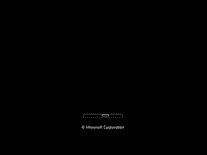
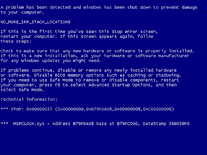
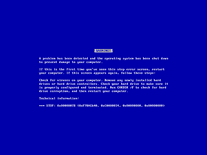
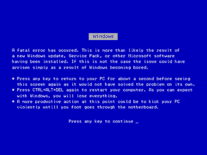
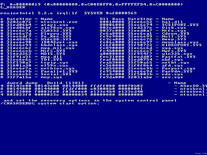
This infamous computer bluescreen, often referred to as the "Blue Screen of Death" (BSOD), has plagued Windows users for years. It generally indicates that the computer has crashed in a non-recoverable way, and therefore has to be rebooted. The causes range from hardware failures to faulty device drivers, but whatever the cause, the mere sight of the blue screen is enough to terrify any system administrator or computer enthusiast. This screensaver simulates such a bluescreen, followed by a fake reboot, and then returns another error.

 Free
Free  0.06 MB
  for Windows
  30,956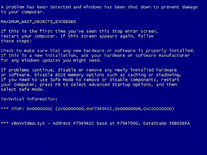
Message board
Is your question not listed? Post it on our message board »
| Subject | Replies | Last post |
| BSOD ScreenSaver Reworked for Windows 10 | 1 | 8 years ago |
Installation instructions
Microsoft Windows
- Extract the SysInternalsBluescreen screensaver file from the bsod.zip archive you downloaded into the Windows folder on your hard-drive.
- Locate the screensaver file you extracted, right-click it and select "Install".
Anti-virus report for Blue Screen of Death
Our editors have reviewed all files and found them to be safe, but they are also checked automatically using many different virus scanners. We are happy to share the results.
| Virus scanner | bsod.zip |
|---|---|
| AVG | |
| Avast | |
| Avira | |
| ClamAV | Win.Joke.FakeBlueScreen-2 * |
| ESET-NOD32 | |
| F-Secure | Trojan-Downloader:W32/Kavala.B * |
| Kaspersky | |
| Malwarebytes | MachineLearning/Anomalous.94% * |
| Microsoft | |
| Panda | |
| Symantec | |
| TrendMicro | |
| Webroot | |
| Last scanned | 1 week ago |
* When only a few of the virus scanners detect a problem with a file, this usually indicates a false alarm. While we cannot guarantee the safety of any file for 100%, we review them all carefully and report false positives to the anti-virus companies.
We have 1 file for "Blue Screen of Death"
- bsod.zip (Windows)
| File report #1 | |
|---|---|
| File name | bsod.zip |
| Target system | Microsoft Windows |
| File size | 56.74 kB (58,101 bytes) |
| File type | ZIP archive |
| Anti-virus | |
| Detection ratio | 3/13 (23.08%) View report |
| Popularity | |
| Total downloads | 30,956 |
| Last downloaded | 4 hours ago |
| File verification | |
| MD5 | 65738fdf028e84d3d5dbbad6fa495f5f |
| SHA1 | 22a7f0b1e471a1d9fea9c667aac88ad326fa4a2d |
| SHA256 | 697ae528829bd24ba4ffbfc6b62346da7259b693127d668125d43085ab9ba787 |
User reviews (26)
It says failed to set up screed mode.

Este protetor de tela BSOD é muito bom, pois eu gosto de simular BSOD para trolar todo mundo. e o melhor foi este!
Da erro de: Set Display Mode Failed. Windows 11

Not bad, but when i plug in a usb mouse or something it restarts and then my keyboard, touch screen, mouse does not work.
its so buggy that i cant even remove it :[
it says error display mode 80000801
silly, yet fun screensaver
only downside is that it's for low resolution displays, it will show as 4:3
no good
i dont trust it by the reviews....
This is good for a prank.
wasn't able to get it to work
did not work just a error
Works good, good for a joke!!
But when you make prank in your friends?
It is okay. It is original Sysinternals Blue Screen of Death screensaver. This can work in Windows 8/10, if you change compatibility mode to Windows Vista. To do this, you must rename file extension to .exe. Now, you can set application Compatibility to Windows Vista. Now, change extension back to *.scr. Now, copy this file to C:\Windows\System32\
this didnt even work.
Perfect screensaver to prank friends with
srsly this BSOD Screensaver is terrible!
Do not use this. Even if you delete it, it will disrupt the sleep timer on your machine
I don't now if I'm doing something wrong, but it doesn't work here. I have win10 v1607
Screensavers Planet: It does look like it's not working on Windows 10, unfortunately. The error is "SetDisplayMode FAILED: 80004001". Try searching for BSOD to find a few alternatives that are more likely to work with Windows 10.
I makes me laugh!
It is a great trolling tool, however on closer examination you can see it is fake.
I have a dual monitor setup and a real BSOD appears on both of them, and also that crash dump thing appears and changes itself or whatever. otherwise it is very good, I love the thing that the mouse is disabled temporally
Excellent saver, but changes the screen resolution mode of the monitor, which for some some monitor/g-card combinations causes delays.
It is good, but only for Vista users. But there are barely any Vista users
Why is it .exe? a simple folder would have done it too. My antivirus (norton) said "ws.reputation.1" I had this with many files and i usually dont trust him if he says this, but with an .exe file NOPE!
Screensavers Planet: It was packaged into a self-extracting archive for ease of use, but we have now put it in a simple ZIP file. This may still get blocked by overzealous virus scanners like Norton, but hopefully it will alleviate your fears of the .EXE file.
Why is the screensaver provided as executable? The McAfee deleted it anyway, the screensaver contains a virus.
Screensavers Planet: It does not contain a virus. If McAfee reports it as such, then that's a false positive. The file is frequently scanned using a multitude of anti-virus programs, the results of which can be viewed online. Since it's a prank-type of screensaver, some programs may mark it as potentionally dangerous. As for the file format, it's provided as an executable for easy installation into the Windows folder.


 Flash required
