Mountain Waterfall
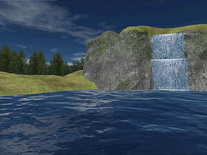
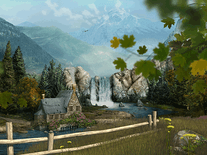
This screensaver is centered around a waterfall in the mountain wilderness, but includes many other animated elements: trees, leaves and grass are rustled by the wind, smoke emanates from the chimney of a stone house, clouds move past in the distance, and various bird and butterflies are seen flying through the landscape. There are soothing sounds of nature and wildlife, and you can optionally select any audio file on your hard drive to serve as background music. Also included is an animated wallpaper, identical to the screensaver.

 9.99 USD
  11.45 MB
  for Windows
  1,177
1,177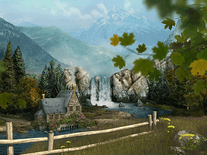
Message board
Do you have a question about this screensaver? Post it on our message board »
Installation instructions
Microsoft Windows
- Initiate the install program by double-clicking on the mountainwaterfall.exe file you downloaded above, then select your preferred language and click "OK".
- Click "Next", then click "Next" again unless you want to sign up for the developer's e-mail newsletter.
- Creating a desktop icon and installing the "3Planesoft Screensaver Manager" is entirely optional, so feel free to uncheck both of these boxes before you click "Next" to continue.
- Indicate if you accept the terms of the license agreement, then click "Next" again.
- Select a destination location or simply maintain the default setting and click "Next".
- Optionally change the name for the Start Menu folder, and once again click "Next".
- Now click "Install" to begin copying this screensaver to your computer. This may take a few moments.
- When successfully completed, the installer will give you the option of starting the included animated wallpaper. This is optional, so feel free to uncheck the box before you click "Finish".
- Windows's Screen Saver Settings panel will open, and Mountain Waterfall is now your default screensaver.
Anti-virus report for Mountain Waterfall
Our editors have reviewed all files and found them to be safe, but they are also checked automatically using many different virus scanners. We are happy to share the results.
| Virus scanner | mountainwaterfall.exe |
|---|---|
| AVG | |
| Avast | |
| Avira | |
| BitDefender | |
| ClamAV | |
| ESET-NOD32 | |
| F-Secure | |
| Kaspersky | |
| Malwarebytes | |
| Microsoft | |
| Panda | |
| Symantec | |
| TrendMicro | |
| Webroot | |
| Last scanned | 2 weeks ago |
We have 1 file for "Mountain Waterfall"
- mountainwaterfall.exe (Windows)
| File report #1 | |
|---|---|
| File name | mountainwaterfall.exe |
| Target system | Microsoft Windows |
| File size | 11.45 MB (12,003,936 bytes) |
| File type | Portable Executable (EXE) |
| Anti-virus | |
| Detection ratio | 0/14 (0%) View report |
| Popularity | |
| Total downloads | 1,177 |
| Last downloaded | 1 week ago |
| File verification | |
| MD5 | 9ff15d8ae2df9135f0d342294a522866 |
| SHA1 | 695f3fe127356e044d8d22e87dda4b46db5d8561 |
| SHA256 | 6f9c8afff54e379b606e58740f139490c732393c344ad31cb6c1cd8b4d1a1648 |
User reviews (1)
I would really like the screen saver if I could actually run it but my computer won't let me.