FirmTools Clouds
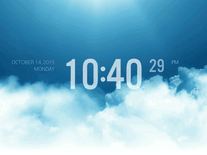
The Cloud 2.0 screensaver projects everchanging formations of clouds onto a sunny blue sky, now and then obscuring the sun. The direction of the wind, level of cloudiness, time of day and texture size are mostly set to random by default, but every setting is adjustable, allowing you to customize the weather on your screen.

 Free
Free  0.36 MB
  for Windows
  764
764


Message board
Do you have a question about this screensaver? Post it on our message board »
Installation instructions
Microsoft Windows
- Start the installer by double-clicking on the file you downloaded above.
- Click "Next" to proceed, followed by "I agree" if you accept the license agreement.
- The installer will automatically enter the default install location, which is fine for most users. Simply click "Install" to copy all screensaver files to your computer.
- After a few seconds, the installer will complete and launch the Screen Saver Settings panel.
Anti-virus report for FirmTools Clouds
Our editors have reviewed all files and found them to be safe, but they are also checked automatically using many different virus scanners. We are happy to share the results.
| Virus scanner | firmtoolsclouds.exe |
|---|---|
| AVG | |
| Avast | |
| Avira | |
| BitDefender | |
| ClamAV | |
| ESET-NOD32 | |
| F-Secure | |
| Kaspersky | |
| Malwarebytes | |
| Microsoft | |
| Panda | |
| Symantec | |
| TrendMicro | |
| Webroot | |
| Last scanned | 1 week ago |
We have 1 file for "FirmTools Clouds"
- firmtoolsclouds.exe (Windows)
| File report #1 | |
|---|---|
| File name | firmtoolsclouds.exe |
| Target system | Microsoft Windows |
| File size | 366.54 kB (375,332 bytes) |
| File type | Portable Executable (EXE) |
| Anti-virus | |
| Detection ratio | 0/14 (0%) View report |
| Popularity | |
| Total downloads | 764 |
| Last downloaded | 2 weeks ago |
| File verification | |
| MD5 | 3701319da6a16579a5583bcef7774e81 |
| SHA1 | 0a8a8e567a7d7b17a01d9f0dc89223ca0d4b32d7 |
| SHA256 | e9b6b892d0354a109057952029167582c4ac36cdd37f371c9106139fa647bd4f |
User reviews (1)
Seems to run on Win10? It opens, but rarely ends on its own at random/closes before displaying anything.
Only supports one monitor. Installation stores its texture files externally (rather than the .scr being self contained), which is a little awkward, but not an issue and does not cause problems.
It has this kind of feel to it like... early 3D game clouds. Very textured and a little bit fuzzy/crunchy. It's certainly older looking, but holds up quite well I think. The way it fades in/out and moves is very smooth and pleasing. It captures the feel of clouds very well.
Makes me a little sad it's not multi-monitor.