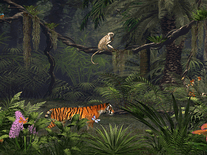
Fascinating Rainforest
This rainforest is inhabited by varicolored macaws, butterflies, dragonflies, and other species, moving through the undergrowth, trees, ferns and tropical vines. The camera slowly pans from left to right and back again while the forest, waterfall included, bustles with activity. Sounds are included and enabled by default, but can be disabled.

 13.95 USD
  5.89 MB
  for Windows
  2,481
2,481


Message board
Do you have a question about this screensaver? Post it on our message board »
Installation instructions
Microsoft Windows
- Double-click the fascinatingrainforest.exe file you downloaded to start the installer.
- If an error pops up stating that "the requested operation requires elevation", please click "OK", then right-click on the file you downloaded and select "Run as administrator".
- Click "Setup", then select the language of your preference and click "OK".
- If you accept the terms of the license agreement, tick the box and click "Next" to proceed.
- When prompted if you wish to install 'Fascinating Rainforest' now, click "Yes".
- If you want to make this your default screensaver, click "Yes".
- Installation has now successfully finished. Click "OK" to exit the install program.
- The screensaver will automatically be started. Press any key to exit. If you want to configure the screensaver, you should now be able to find it among the others in the Screen Saver Settings panel.
Anti-virus report for Fascinating Rainforest
Our editors have reviewed all files and found them to be safe, but they are also checked automatically using many different virus scanners. We are happy to share the results.
| Virus scanner | fascinatingrainforest.exe |
|---|---|
| AVG | |
| Avast | |
| Avira | |
| BitDefender | |
| ClamAV | |
| ESET-NOD32 | |
| F-Secure | |
| Kaspersky | |
| Malwarebytes | |
| Microsoft | |
| Panda | |
| Symantec | |
| TrendMicro | |
| Webroot | |
| Last scanned | 3 weeks ago |
We have 1 file for "Fascinating Rainforest"
- fascinatingrainforest.exe (Windows)
| File report #1 | |
|---|---|
| File name | fascinatingrainforest.exe |
| Target system | Microsoft Windows |
| File size | 5.89 MB (6,173,784 bytes) |
| File type | Portable Executable (EXE) |
| Anti-virus | |
| Detection ratio | 0/14 (0%) View report |
| Popularity | |
| Total downloads | 2,481 |
| Last downloaded | 6 days ago |
| File verification | |
| MD5 | 4a5fcc2b3530e8c8cf4e0fde67a8ce54 |
| SHA1 | b1267d768a5564f27c2dd982927fade306424ff8 |
| SHA256 | 9a7490437e585150a0aac0b25f365dd641e21c6aa67a21e05e19584a000b98b6 |
User reviews (4)
seems good


i really enjoyed it however my computer crashed several years ago and i lost it i perchance found it again. do you by chance still have me as having paid for it or do i have to pay for it again.
it looks good
this screen saver is very nice