Curacao Ocean
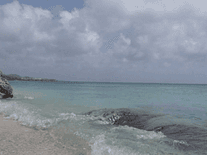
Waves roll back and forth and crash on the sand and rocks of a Curacao beach in this paradisiacal screensaver, consisting of a high-resolution, looped video recorded near Playa Kalki in the west. Clouds roll past in the background, and the waves occasionally splash up against your screen. Soothing ocean sounds are not included.

 Free
Free  13.35 MB
  for Windows
  4,919
4,919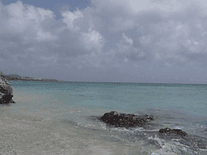

Message board
Do you have a question about this screensaver? Post it on our message board »
Installation instructions
Microsoft Windows
- Double-click on the file you downloaded above to start the install program.
- The default destination directory (C:\Windows) should be fine for most users. Click "Install" to proceed.
- When complete, the installer will automatically shut down and open Windows's Screen Saver Settings panel, where you will find that "Ocean Screensaver" is now your default screensaver.
Anti-virus report for Curacao Ocean
Our editors have reviewed all files and found them to be safe, but they are also checked automatically using many different virus scanners. We are happy to share the results.
| Virus scanner | curacaoocean.exe |
|---|---|
| AVG | |
| Avast | |
| Avira | |
| BitDefender | |
| ClamAV | |
| ESET-NOD32 | |
| F-Secure | |
| Kaspersky | |
| Malwarebytes | |
| Microsoft | |
| Panda | |
| Symantec | |
| TrendMicro | |
| Webroot | |
| Last scanned | 2 weeks ago |
We have 1 file for "Curacao Ocean"
- curacaoocean.exe (Windows)
| File report #1 | |
|---|---|
| File name | curacaoocean.exe |
| Target system | Microsoft Windows |
| File size | 13.35 MB (13,998,643 bytes) |
| File type | Portable Executable (EXE) |
| Anti-virus | |
| Detection ratio | 0/14 (0%) View report |
| Popularity | |
| Total downloads | 4,919 |
| Last downloaded | 2 days ago |
| File verification | |
| MD5 | 9f830467112f97ac73761100a3a10776 |
| SHA1 | dc521d77c71d1465d19d2db67c03e748cab6f977 |
| SHA256 | c631958daa8af9a483f24d6dc44f4c0c18bcd72992234ffc37d865f62192d94b |
User reviews (3)
very blurry


Finally a site that is safe to use and enjoy! I came home...thank you for leaving the night light on for us looking for a gorgeous screensavers. I am a happy clam on the beach for sure!
is beautiful screensavan...nd i like.