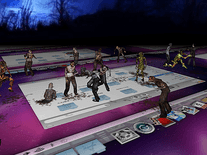
Halloween Haunt 3D
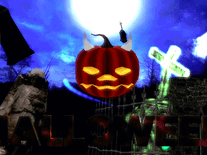
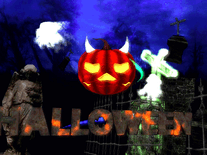
A graveyard at night, inhabited by flying ghosts, gravestones and a floating pumpkin that laughs evilly. All of the ingredients for a successful haunting of your computer monitor this Halloween are included in this screensaver, and rendered in 3D. Additionally, it displays the current time in a gothic font at the bottom right corner.

 Free
Free  5.52 MB
  for Windows
  1,172
1,172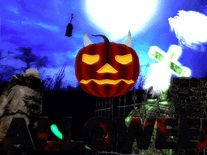
Message board
Do you have a question about this screensaver? Post it on our message board »
Installation instructions
Microsoft Windows
- To start the install program, double-click on the halloweenhaunt3d.exe file you downloaded.
- Click "Next" to continue, then tick the box next to "I accept" if you do not object to the terms of the screensaver's license agreement, and click "Next" again.
- The default destination location should be fine for most users, so click "Next" to proceed.
- A Start Menu folder will be created, from where you will be able to open and uninstall the screensaver. You can optionally change the name of that folder, then click "Next", followed by "Install".
- Once the screensaver has been installed successfully, the developer's website opens in your web browser. Please note that we are not related with, and have no control over the contents of, this website.
- Windows's Screen Saver Settings panel will automatically be opened as well, where you will find that Halloween Haunt 3D is now your default screensaver.
Anti-virus report for Halloween Haunt 3D
Our editors have reviewed all files and found them to be safe, but they are also checked automatically using many different virus scanners. We are happy to share the results.
| Virus scanner | halloweenhaunt3d.exe |
|---|---|
| AVG | |
| Avast | |
| Avira | |
| BitDefender | |
| ClamAV | |
| ESET-NOD32 | |
| F-Secure | |
| Kaspersky | |
| Malwarebytes | |
| Microsoft | |
| Panda | |
| Symantec | |
| TrendMicro | |
| Webroot | |
| Last scanned | 2 weeks ago |
We have 1 file for "Halloween Haunt 3D"
- halloweenhaunt3d.exe (Windows)
| File report #1 | |
|---|---|
| File name | halloweenhaunt3d.exe |
| Target system | Microsoft Windows |
| File size | 5.52 MB (5,792,331 bytes) |
| File type | Portable Executable (EXE) |
| Anti-virus | |
| Detection ratio | 0/14 (0%) View report |
| Popularity | |
| Total downloads | 1,172 |
| Last downloaded | 2 days ago |
| File verification | |
| MD5 | 105a9a82d3ab62a8b1347f5d17b31bd6 |
| SHA1 | 31569b2f4b783062c36573c86f37976e9569174a |
| SHA256 | df2aa80135c7de7097c9c89274e2bfc86554c37f2c8cd5acaaa377a129739df2 |
User reviews (0)
No reviews have been written yet for this screensaver. Will you be the first to write one?