Liverdance
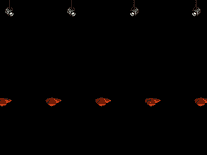
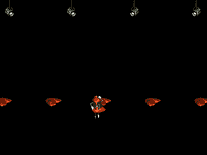
A parody on Riverdance, the quintessentially Irish theatrical show that originated at the 1994 Eurovision Song Contest in Dublin, the Liverdance screensaver begins with several livers falling onto a stage, when another liver, dressed in Riverdance costume, walks on, and they perform a traditional Irish stepdancing routine together. A short advertisement may appear between sets. You can limit the number of livers on stage, as well as the sound effects.

 Free
Free  1.26 MB
  for Windows
  494
494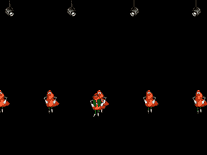
Message board
Do you have a question about this screensaver? Post it on our message board »
Installation instructions
Microsoft Windows
- Double-click on the file you downloaded to start the install program for this screensaver.
- Click "Next", then click "Next" again if you accept the terms of the license agreement.
- Unless you want to change the directory into which the screensaver files are installer, simply click "Next" again to continue. The default destination directory should be fine for most users.
- Click "Next" once more to begin installing Liverdance to your computer. If you get an error stating "Could not load DLL library C:\Program Files\Liver\saver.dll", you can safely ignore this and click "OK".
- Liverdance should now be installed and among your other screensavers.
Anti-virus report for Liverdance
Our editors have reviewed all files and found them to be safe, but they are also checked automatically using many different virus scanners. We are happy to share the results.
| Virus scanner | liverdance.exe |
|---|---|
| AVG | |
| Avast | |
| Avira | |
| BitDefender | |
| ClamAV | |
| ESET-NOD32 | |
| F-Secure | |
| Kaspersky | |
| Malwarebytes | |
| Microsoft | |
| Panda | |
| Symantec | |
| TrendMicro | |
| Last scanned | 2 weeks ago |
We have 1 file for "Liverdance"
- liverdance.exe (Windows)
| File report #1 | |
|---|---|
| File name | liverdance.exe |
| Target system | Microsoft Windows |
| File size | 1.26 MB (1,316,365 bytes) |
| File type | Portable Executable (EXE) |
| Anti-virus | |
| Detection ratio | 0/13 (0%) View report |
| Popularity | |
| Total downloads | 494 |
| Last downloaded | 1 week ago |
| File verification | |
| MD5 | 9bc853f541270c923667bdb0ecf46ef3 |
| SHA1 | ecb31072482336d38ad8f4a78358ce41edeecf79 |
| SHA256 | ae86b0091036d64bd94634503c77d2c7275b835e120eb994cdd2a7e394ec6ff4 |
User reviews (2)
I remember this being a hilarious screensaver. Sadly, it won't install on a modern 64-bit Windows.


Demo version, interrupted by advertisements, very short. Company has gone under.