The Clinton Blues
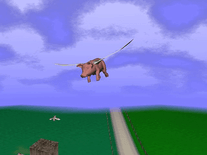
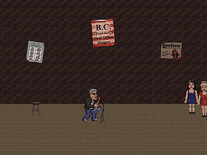
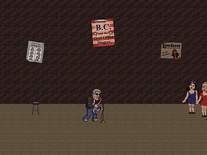
This classic screensaver parody from the 1990s features Bill Clinton, then president of the United States, playing the saxophone on a nightclub stage, peppering his set with witty one-liners. On the right, Gennifer Flowers, Monica Lewinsky and Paula Jones, three of the women who filed sexual misconduct allegations against Clinton, appear as backing vocalists. Sound effects and music can optionally be changed from "Full" to "Limited" or disabled entirely.

 Free
Free  1.83 MB
  for Windows
  757
757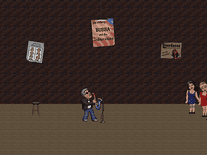
Message board
Do you have a question about this screensaver? Post it on our message board »
Installation instructions
Microsoft Windows
- Double-click on the file you downloaded above to start the installation program.
- Click the "Next" button to bring up the license agreement, and click "Next" again if you agree.
- The default destination directory (C:\Program Files\Clinton) does not need to be changed, so simply click "Next" to continue, then click "Next" again to begin the installation.
- Copying files to your computer may take a few seconds. Click "Finish" once the installation has been successfully completed. Note that it may take some time for the installer to close. It will automatically launch the screensaver when it's done. If not, try to force it to close by pressing ALT+F4.
- "Clinton Blues" should now be among your other screensavers in Windows's Screen Saver Settings panel.
Anti-virus report for The Clinton Blues
Our editors have reviewed all files and found them to be safe, but they are also checked automatically using many different virus scanners. We are happy to share the results.
| Virus scanner | clintonblues.exe |
|---|---|
| AVG | |
| Avast | |
| Avira | |
| BitDefender | |
| ClamAV | |
| ESET-NOD32 | |
| F-Secure | |
| Kaspersky | |
| Malwarebytes | |
| Microsoft | |
| Panda | |
| Symantec | |
| TrendMicro | |
| Last scanned | 1 week ago |
We have 1 file for "The Clinton Blues"
- clintonblues.exe (Windows)
| File report #1 | |
|---|---|
| File name | clintonblues.exe |
| Target system | Microsoft Windows |
| File size | 1.83 MB (1,914,074 bytes) |
| File type | Portable Executable (EXE) |
| Anti-virus | |
| Detection ratio | 0/13 (0%) View report |
| Popularity | |
| Total downloads | 757 |
| Last downloaded | 1 day ago |
| File verification | |
| MD5 | dc30ef19e25253d7756cdee42e25e3c8 |
| SHA1 | 492b01e95a4b0bac781226933df003782fcb3b8f |
| SHA256 | 87aad2c17bbc7b2aeb14d1e4fb183ea638b9456fae28b6fa5d623264ae4348d6 |
User reviews (7)
thank you joel

ram ranch really rocks
Oldschool Pizzagate reference.
http://www.whale.to/b/clinton.html

Quack Quack
it doesn't work, when i try to run it, it says: "C:\Users\PC\Downloads\clintonblues.exe
the file path specified does not exits
very the file path and retry"
help!
I ran this screensaver on three WinNT 4.0 boxes in my basement. It was really funny at first, but all my house guests complain of tinnitus when they come back upstairs.
Quack quack.