Sim Aquarium 3D
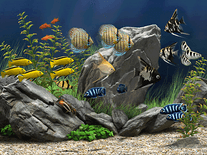
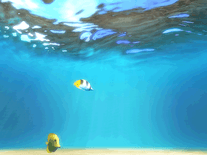
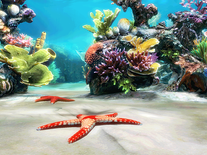
Transform your monitor into an underwater camera that captures realistically rendered and animated fish in an ocean further enhanced by particles, anemones, light caustics, sun rays and shadows. This free edition of the Sim Aquarium 3D screensaver includes a limited amount of fish and environments, with over thirty species of fish available for purchasing, as well as sea stars, a live wallpaper mode and other optional upgrades.

 9.95 USD
  51.54 MB
  for Windows
  28,865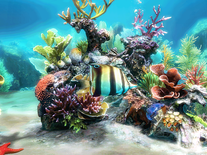
Message board
Is your question not listed? Post it on our message board »
| Subject | Replies | Last post |
| Sim Aquarium 3 not converting to full version | 2 | 9 years ago |
| Bought Sim Aquarium 3 but is no longer working | 7 | 8 years ago |
Anti-virus report for Sim Aquarium 3D
Our editors have reviewed all files and found them to be safe, but they are also checked automatically using many different virus scanners. We are happy to share the results.
| Virus scanner | SimAQUARIUM-2024-V3.10.1.exe |
|---|---|
| AVG | |
| Avast | |
| Avira | |
| BitDefender | |
| ClamAV | |
| ESET-NOD32 | |
| F-Secure | |
| Kaspersky | |
| Malwarebytes | |
| Microsoft | |
| Panda | |
| Symantec | |
| TrendMicro | |
| Webroot | |
| Last scanned | 8 months ago |
We have 1 file for "Sim Aquarium 3D"
- SimAQUARIUM-2024-V3.10.1.exe (Windows)
| File report #1 | |
|---|---|
| File name | SimAQUARIUM-2024-V3.10.1.exe |
| Target system | Microsoft Windows |
| File size | 51.54 MB (54,046,184 bytes) |
| File type | Portable Executable (EXE) |
| Anti-virus | |
| Detection ratio | 0/14 (0%) View report |
| Popularity | |
| Total downloads | 28,865 |
| Last downloaded | 19 hours ago |
| File verification | |
| MD5 | e644124a3372e92164a9ece4cda1dc3d |
| SHA1 | bfd6454663e002bad86b84b2bcc6536121f8eb68 |
| SHA256 | e3d7690753849109aa6e563a2e7183222973647bae87b738cb0220fbf8b17b12 |
User reviews (20)
Don't work any more. I now have a 870E chipset with AMD 9950 X3D. Didn't work on my last PC either. I had it working in 2019. I got pics.
Faulting application name: SimAquarium3.scr, version: 1.0.0.1, time stamp: 0x5640cd70
Faulting module name: SimAquarium3.scr, version: 1.0.0.1, time stamp: 0x5640cd70
Exception code: 0xc0000005
Fault offset: 0x00003bf7
Faulting process id: 0x8cc4
Faulting application start time: 0x1dc6587c654df7f
Faulting application path: C:\WINDOWS\SimAquarium3.scr
Faulting module path: C:\WINDOWS\SimAquarium3.scr
Report Id: a1bebf7f-b339-42ff-a62a-debec56704f1
Faulting package full name:
Faulting package-relative application ID:
Screensavers Planet: It turns out a newer version was available. We've updated the file on the site, please download the screensaver again, hopefully it fixes the issue.


NICE
I love it the water is so peaceful i love to watch fish swim
nice
Buy Now link goes to page which says "This product does not exist!"
So - no longer available for purchase?
Screensavers Planet: Thank you for reporting that. We have removed the link from the description above. You should still be able to purchase the full version of the Sim Aquarium 3D screensaver through the website of the developer, Digital Illusions.
it really cool i was lost it long time ago on xps windeow and vista window too and now found it real 3d hd window real life fish wow it little change and how i can unlock fish each one fish ??
good
Love it
will not let me shut it off when I want a different one....
Love It Any chance of day night cycle?
Awesome idea. But i propose that it should be more lively
I hate it!
Nice
Nice idea. But also please create similar screesavers with different types of trilobites (swimming or crawling) and another one with the early life of the Ediacaran era.
super
Wonderfull
great
great
Pretty good
Class