Fantastic Fish
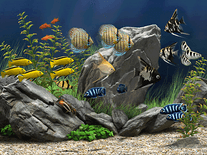
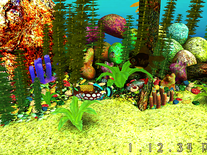
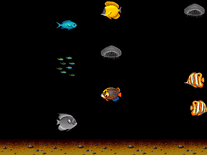
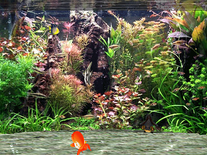
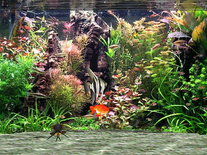
Several species of fish swim around in 3D in this animated aquarium, enhanced with bubbles, the water surface and realistic lighting effects, all against a static backdrop of rocks and water plants. You can add your own picture or background image to be embedded into the screensaver, and import an MP3 or WAV file for background music.

 Free
Free  1.1 MB
  for Windows
  68,613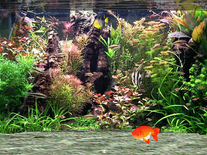
Message board
Is your question not listed? Post it on our message board »
| Subject | Replies | Last post |
| Screensaver | 1 | 2 years ago |
| Settings | 1 | 2 years ago |
Installation instructions
Microsoft Windows
- Open the screensaver's install program by double-clicking on the file you downloaded above.
- On most computers, the default "Location to extract" should be C:\Windows. If you suspect that your Windows folder may be located elsewhere, use the "Browse" button to select it.
- Click "Extract" to copy the screensaver to your Windows folder. If you are told you need administrator privileges, click "Yes" to restart the program, then click "Extract" again.
- Your Windows folder will be opened. Locate "FanFish25" in the list, right-click on it and then select "Install".
- Fantastic Fish should now be among your other screensavers in the Screen Saver Settings panel.
Anti-virus report for Fantastic Fish
Our editors have reviewed all files and found them to be safe, but they are also checked automatically using many different virus scanners. We are happy to share the results.
| Virus scanner | fantasticfish.exe |
|---|---|
| Avira | |
| ClamAV | |
| ESET-NOD32 | |
| Malwarebytes | |
| Microsoft | |
| Symantec | |
| TrendMicro | |
| Webroot | |
| Last scanned | 2 weeks ago |
We have 1 file for "Fantastic Fish"
- fantasticfish.exe (Windows)
| File report #1 | |
|---|---|
| File name | fantasticfish.exe |
| Target system | Microsoft Windows |
| File size | 1.10 MB (1,158,294 bytes) |
| File type | Portable Executable (EXE) |
| Anti-virus | |
| Detection ratio | 0/8 (0%) View report |
| Popularity | |
| Total downloads | 68,613 |
| Last downloaded | 2 hours ago |
| File verification | |
| MD5 | 0eabefa85d5b5ab2dee1757b6f21ce9b |
| SHA1 | bab78d82135c50a1cb0a6b4a5fee62aa9fa6df03 |
| SHA256 | 00dbcc21630308e1430ad5fbfefac113177ec1897f85003058c17bdf6a942a47 |
User reviews (26)
Nice


perfect, awesome and wonderful saver i think. This screensaver program is more functional than the previous version.
heel goed
1) I could not activate it on my two (different) monitors, even by setting identical resolution.
2) I agree with other reviews that fish are moving not realistically.
It's good. My only gripe is that the small fish in the background don't move at all. They should have chosen a different background picture.
It is so far the most realistic "aquarium screensaver" that i downloaded...
I added a photo, (dont expect it t be in full screen), itll be in the middle and small but youd still see it. there is bubble sounds also but its not my liking so i clicked on "add my music/sound" but didnt put "music" , so it is quiet...you can change it on the settings. I just wish i could add more fish... :) deserves 5 stars, nonetheless.
I like this very much. Worked without any downloading or installing issues. The bubbling water sound can be turned off if you don't want it but I find it soothing. Most of the fish are pretty realistic but the guppy and goldfish at the front only follow each other around in a circle in the centre which spoils it a bit, and their fins do not move in a realistic way. But someone has made a pretty good job of this screensaver and it is free and works well, so how can I complain?
Pretty good
Robotic and loud.
I LOVE SAVER
Very Good
I like it because it is so peaceful and the fish are cute!
Annoying. It constantly makes a water sound effect and the fish don't move realistically at all.
Not a fan.
Not realistic at all. Fish move just like robots. They constantly move their fins and tails. Real fish don't swim like that at all.
Colorful...easy on the eyes!
needs Direct 3D, so if you are running Win7 on an older system without this functionality, you are out of luck.
I love it
It looks so reel
Very cool
good
This so sweet and lovely gift
I love this. Thanks
Love it!! Very relaxing and enjoy the colors and movbement.
Very relaxing
I think it's better than older
VERY VERY BEST