3D Marine
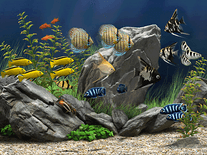
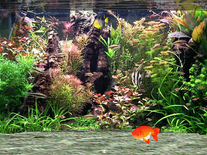
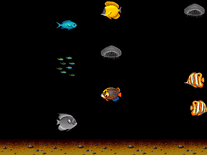
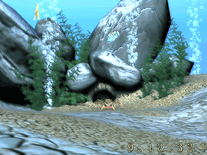
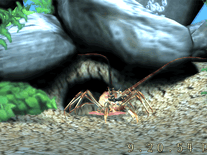
Watch as this three-dimensional crab comes crawling out of his hole, hidden behind some rocks at the bottom of the sea, and swims in front of it before returning to the hole again. Several fish swim around in the vicinity and air bubbles move up to the surface, while the time is displayed in digital format at the bottom of the screen.

 Free
Free  7 MB
7 MB  for Windows
  5,618
5,618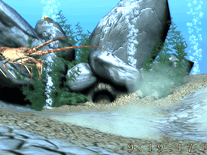
Message board
Do you have a question about this screensaver? Post it on our message board »
Installation instructions
Microsoft Windows
- Start the 3D Marine Screensaver Setup Wizard by double-clicking on the file you downloaded above.
- Click "Next" to proceed, then indicate if you accept the license agreement before you click "Next".
- The default settings for the destination location and Start Menu folder do not need to be changed, so simply click "Next" twice, then click "Install" to begin copying files to your computer.
- When the installer has finished, it will open up Windows's Screen Saver Settings panel, as well as the developer's website in your default web browser (you can close this browser window without consequence).
- You will find that "Free 3D Marine Screensaver" is now listed among your other screensavers.
Anti-virus report for 3D Marine
Our editors have reviewed all files and found them to be safe, but they are also checked automatically using many different virus scanners. We are happy to share the results.
| Virus scanner | 3dmarine.exe |
|---|---|
| AVG | |
| Avast | |
| Avira | |
| BitDefender | |
| ClamAV | |
| ESET-NOD32 | |
| F-Secure | |
| Kaspersky | |
| Malwarebytes | |
| Microsoft | |
| Panda | |
| Symantec | |
| TrendMicro | |
| Webroot | |
| Last scanned | 2 weeks ago |
We have 1 file for "3D Marine"
- 3dmarine.exe (Windows)
| File report #1 | |
|---|---|
| File name | 3dmarine.exe |
| Target system | Microsoft Windows |
| File size | 7.00 MB (7,339,728 bytes) |
| File type | Portable Executable (EXE) |
| Anti-virus | |
| Detection ratio | 0/14 (0%) View report |
| Popularity | |
| Total downloads | 5,618 |
| Last downloaded | 2 days ago |
| File verification | |
| MD5 | 3c5fd157fe705037ec9bb6a0acad0d6c |
| SHA1 | fbc79fd1639c898d144b5cd424e26a0578f4666c |
| SHA256 | 35ecde56ab79a1bd08fadb6af362f3fed049f9c3e8ad8e8f9b867eb325aedc30 |
User reviews (5)
its bad


Installer will automatically open a website on your browser, which seems to start loading and redirecting to something else ([bunch of numbers].craftedexpo.com - closed before it loaded - suspicious link, bunch of numbers; looking up who owns the domain, seems to be owned by a website URL reseller nowadays. )
Actual screensaver works, but not without quirks. It displays on the main monitor just fine, but adds a black rectangle that does not cover the full screen on additional monitors. Tested on Windows 10 Pro.
Makes me want to diving. Nice!
The lobster is a trip. hehehe. I like this too. A+
Cool