Cities of Earth 3D
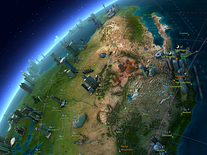
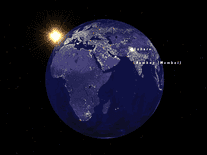
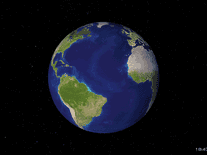
A highly informative screensaver, Cities of Earth 3D displays a rotating planet earth, highlighting the largest cities of the world and displaying several statistics, such as the population, associated country and the local time. All the while, your own local time is displayed in the bottom right corner. Although the process is of a somewhat technical nature, you can optionally add any additional cities, such as your own, to the screensaver.

 Free
Free  1.66 MB
  for Windows
  13,764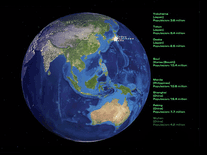
Message board
Is your question not listed? Post it on our message board »
| Subject | Replies | Last post |
| Cites of the Earth 3D Screensaver | 4 | 1 year ago |
Installation instructions
Microsoft Windows
- Double-click on the 3dcitiesofearth.exe file you downloaded above to start the installer, and click "Next" to proceed.
- You will be asked to select a destination location for this screensaver. The default selection (C:\Program Files\Cities of Earth) should be fine for most users, but you can customize the destination with the "Browse" button. Click "Next" again to move on to the next step.
- Click "Next" again unless you want to change the name of the Start Menu folder the installer will create.
- Creating a desktop icon for this screensaver is optional, so feel free to uncheck this box before you click "Next".
- Now click "Install" to begin copying the necessary files to your computer. Once completed, the installer will give you the option of visiting the author's website. It is enabled by default, so if you do not want to visit this website, simply uncheck the box before you click "Finish".
- You will now be able to find the screensaver via the Windows Screen Saver Settings panel, where, please note, it is listed as "Cities" rather than "Cities of Earth 3D".
Anti-virus report for Cities of Earth 3D
Our editors have reviewed all files and found them to be safe, but they are also checked automatically using many different virus scanners. We are happy to share the results.
| Virus scanner | citiesofearth3d.exe |
|---|---|
| Avira | |
| ESET-NOD32 | |
| F-Secure | |
| Malwarebytes | |
| Microsoft | |
| Panda | |
| Symantec | |
| Webroot | |
| Last scanned | 2 weeks ago |
We have 1 file for "Cities of Earth 3D"
- citiesofearth3d.exe (Windows)
| File report #1 | |
|---|---|
| File name | citiesofearth3d.exe |
| Target system | Microsoft Windows |
| File size | 1.66 MB (1,745,757 bytes) |
| File type | Portable Executable (EXE) |
| Anti-virus | |
| Detection ratio | 0/8 (0%) View report |
| Popularity | |
| Total downloads | 13,764 |
| Last downloaded | 1 day ago |
| File verification | |
| MD5 | e5a6806c541a28a997510eb293b88656 |
| SHA1 | e6930e907ce3c36f274d48847b57032cae9aca5e |
| SHA256 | 45018024da6f841e5a318bd927a6b8855015b4498474b4e55c19b665a9cf0414 |
User reviews (13)
Somewhat pixelated. I generally like this style of globe but found this became very boring over time. Data is out of date. Works on primary screen. Does not dim secondary screens.


so best
Awesome, but in 2021 the population numbers need an update, I can't find a cities.txt file update on Internet :(
It is showing the same cities over and over again which is boring, it is small collection of the cities - there is no cities from Poland, Lithuania, Belarus, Netherlands, Slovakia, Hungary, Romania, etc. There should be at least one capitol city of each country...
nice
Pretty neat. But, I was all set to add some cities as per directions, before I noticed the display blinks every 60 seconds (like clockwork). Win7Pro 64-bit.
EDIT: On further inspection...the blinking seems to only happen while in 'preview' mode. :-)
POST EDIT: There are contradictory statements as to where the 'cities.txt' file should be saved/moved. At least in my case, it had to be placed in C:/Program Files (x86)/Cities of Earth
interesting
Screensaver Filename: citiesofearth3d.exe
VirusTotal: 0
Score: 4 / 5
Tested on: 2019-01-09
Operating System: Windows 10 Pro (full updated)
Great scrensaver, free, and zero crap detected by VirusTotal.
Thanks!
excellent piece of work....
It seems like the cities it includes are kind of random, and the graphics are straight out of the 90's.
Another good one A +
Es excelente
Based on a quick preview I can say this is an excellent screensaver, especially if you want to learn about the cities of our planet. Thanks to whoever made this!