CIA
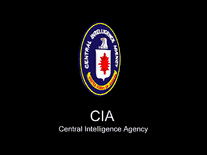
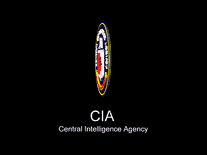
This screensaver will rotate the logo of the Central Intelligence Agency (CIA) of the United States Government on your computer screen. The seal, positioned in the middle against a black background, is rendered in 3D, with the organization's name in static white text below.

 Free
Free  1.22 MB
  for Windows
  11,408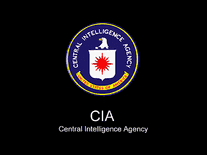
Message board
Do you have a question about this screensaver? Post it on our message board »
Installation instructions
Microsoft Windows
- Double-click on the self-extracting file you downloaded above (cia.exe).
- Enter the path to your Windows folder. For most users, this will be C:\Windows. If you do not know where your Windows folder is located, use the "..." button to begin browsing. Click on "Computer", then select "Local Disk" and scroll down to where you see a folder called "Windows". Click on it once, then click on "OK".
- Now click on "Extract" to copy the screensaver to your Windows folder.
- If you get an error, stating "Can not delete output file C:\Windows\CIA.scr", you will have to repeat the process with elevated access rights. You can do so by right-clicking on the cia.exe file and selecting "Run as administrator".
- When you open Windows's Screen Saver Settings panel, "Cia" should appear in your list of screensavers.
Anti-virus report for CIA
Our editors have reviewed all files and found them to be safe, but they are also checked automatically using many different virus scanners. We are happy to share the results.
| Virus scanner | CIA.zip |
|---|---|
| AVG | |
| Avast | |
| Avira | |
| BitDefender | |
| ClamAV | |
| ESET-NOD32 | |
| F-Secure | |
| Kaspersky | |
| Malwarebytes | |
| Microsoft | |
| Panda | |
| Symantec | |
| TrendMicro | |
| Webroot | |
| Last scanned | 2 weeks ago |
We have 1 file for "CIA"
- CIA.zip (Windows)
| File report #1 | |
|---|---|
| File name | CIA.zip |
| Target system | Microsoft Windows |
| File size | 1.22 MB (1,277,289 bytes) |
| File type | ZIP archive |
| Anti-virus | |
| Detection ratio | 0/14 (0%) View report |
| Popularity | |
| Total downloads | 11,408 |
| Last downloaded | 11 hours ago |
| File verification | |
| MD5 | 73a9aa17dd47746a29c364459e7d003e |
| SHA1 | 7cee43c9159eab2a06f06ff636d5d008cf3f5f4e |
| SHA256 | 56c5276b83df0ef35bf07b1a9e6a383c5d4166ab532d2507bfd863d4f480d1c1 |
User reviews (6)
Try using a paint program and put a text box over the url and enter you're own text!

Extracting to "C:\Windows\"
Use Path: yes Overlay Files: no
Error: Access is denied.
Cannot create C:\Windows\CIA.scr

Its good, except the url at the bottom right sort of ruins the "this is legit" feel
Cool screensaver. Its totally cool! Thanks!
It works great and looks cool. People down there there... chill! No virus! It is just too sensitive (Your antivirus!). Just chill...
Why does the logo not rotate on my computer? i downloaded it and installed it and nothing.
Screensavers Planet: If you've followed the installation instructions on the download page for this screensaver, and it still will not run, please contact us with some details about your computer system and we will do our best to help you.