3D Asteroids
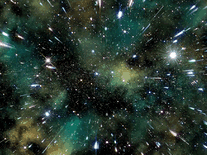
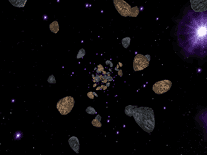
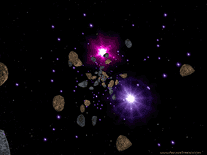
Plunge deep into fields of asteroids, stars and planets with this cosmic screensaver, brought to you for free by ArcadeStudio. The 3D-rendered objects whirl around on your screen at high speeds, with visual effects that give the impression that you're actually traveling through outer space, exploring all that it has to offer.

 Free
Free  0.66 MB
  for Windows
  4,608
4,608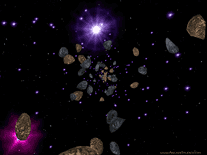
Message board
Is your question not listed? Post it on our message board »
| Subject | Replies | Last post |
| asteroid error | 4 | 5 years ago |
Installation instructions
Microsoft Windows
- Double-click on the file downloaded above, then click "Yes" to launch the installation program.
- The default installation settings, including the destination directory and the name of the Start Menu folder, will be fine for most computers, so you can click "Next" three times, followed by "Install" to begin copying the necessary files to your computer.
- When the process has completed, click "Next" again. Then click "Finish" to exit the installation program. Windows's Screen Saver Settings panel will have to be opened manually before you can select and preview the 3D Asteroids screensaver (called "asteroid" in the screensavers list).
Anti-virus report for 3D Asteroids
Our editors have reviewed all files and found them to be safe, but they are also checked automatically using many different virus scanners. We are happy to share the results.
| Virus scanner | 3dasteroids.exe |
|---|---|
| AVG | |
| Avast | |
| Avira | |
| BitDefender | |
| ClamAV | |
| ESET-NOD32 | |
| F-Secure | |
| Kaspersky | |
| Malwarebytes | |
| Microsoft | |
| Panda | |
| Symantec | |
| TrendMicro | |
| Webroot | |
| Last scanned | 2 weeks ago |
We have 1 file for "3D Asteroids"
- 3dasteroids.exe (Windows)
| File report #1 | |
|---|---|
| File name | 3dasteroids.exe |
| Target system | Microsoft Windows |
| File size | 672.15 kB (688,285 bytes) |
| File type | Portable Executable (EXE) |
| Anti-virus | |
| Detection ratio | 0/14 (0%) View report |
| Popularity | |
| Total downloads | 4,608 |
| Last downloaded | 17 hours ago |
| File verification | |
| MD5 | 173626d34d1c6adeba0a72424f733a0e |
| SHA1 | 28445d664ab32e227774ad2c77861a4950a8d087 |
| SHA256 | 697f0f2973ae451f1bc05a8ac31771f8ef368986fd02eac1a37e7bb2f92854b0 |
User reviews (5)
It doesn't work. Just crash.


It's a great low-fi Screen Saver that I tried to use On my CRT monitor via Win10. It's works great, no extra baggage in the installer. However, I can only give it 3 stars as there are no parameters to control the speed of rotation and the frequency at which asteroids and nebula race toward you. The best screensavers allow the viewer to stare into them for hours, inducing a calming, dreamlike state. This screensaver however seems capable of inducing vertigo, and I would caution those prone to seizure.
wonderful!!!
Well at least unlike the last 3 I have tried, it does work. It is a bit fast and dizzying and there are no settings available. Clicking settings takes you to a site full of adverts for paid material. It is a shame the saver does not fill the screen which means the illusion is a bit spoiled, but it is not bad.
Totally fucks up the displays on my Win10 multi monitor setup - does not work and needs to be killed using task manager!